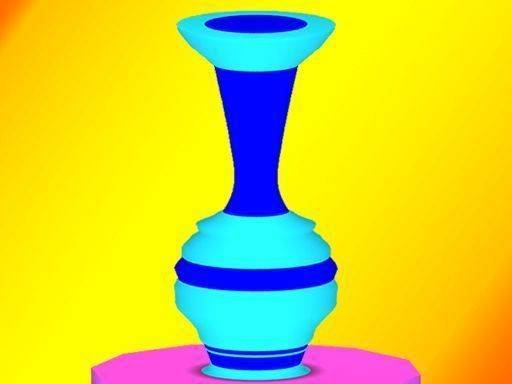
Clay Craft 3D Pottery Studio
Reviews
Clay Craft 3D Pottery Studio provides a soothing creative experience with no timers or pressure. The realistic 3D clay feels lifelike, and the gradual difficulty keeps it engaging. Ideal for both beginners and experienced players seeking a calm artistic activity. The hint system is helpful without being intrusive.
About This Game
Game Introduction
Clay Craft 3D Pottery Studio invites players to explore the art of pottery in a calm virtual environment. The game starts with a simple block of clay, and the goal is to shape it into a target form shown on the screen. Using intuitive mouse or touch controls, players press, pull, and smooth the clay to match the desired shape. The realistic 3D graphics make the clay look and feel lifelike, enhancing the immersive experience. This game is designed for relaxation, with no timers or scores to create pressure. It is suitable for children and adults who enjoy creative activities. Each level introduces new shapes and techniques, keeping the gameplay fresh without becoming overwhelming. Whether you are new to pottery or have experience, this game offers a satisfying way to express your creativity.
How to Play
To play, select a clay block from the menu. Use your mouse or finger to shape the clay by pressing and pulling on its surface. Compare your progress to the target shape displayed on the side of the screen. Rotate the pot to view it from all angles and make precise adjustments. You can add or remove clay with simple gestures to refine the form. When your creation matches the target, you complete the level. The game offers gentle hints if you get stuck, ensuring a smooth experience. No complex instructions or tools are needed, just your imagination and a steady hand. As you advance, the shapes become more intricate, challenging your skills in a calm, supportive environment.
Game Features
Clay Craft 3D Pottery Studio includes several features that make it enjoyable: relaxing and creative pottery sculpting for all ages; intuitive touch and mouse controls; 3D realistic graphics that enhance the crafting experience; no time limits or pressure, allowing for stress-free play; gradual difficulty increase with new shapes and techniques; and helpful hints available when needed.
Tips for Success
To get the most out of Clay Craft 3D Pottery Studio, take your time and enjoy the process. Use the rotate function frequently to view your clay from all angles, which helps in making precise adjustments. Start with simpler shapes to build your confidence before tackling more complex ones. If you feel stuck, use the hint feature to get gentle guidance. Remember that there is no time limit, so you can experiment freely and learn from each attempt. Regular practice will improve your ability to match the target shapes accurately.
Compatibility
System Requirements