Symmetry Puzzle: Balance the Shape
Reviews
Symmetry Puzzle: Balance the Shape offers a calm and focused puzzle experience. The simple mechanic of drawing a line to split shapes into equal halves is both intuitive and challenging. The visual feedback is clear, and the ability to adjust cuts freely makes it stress-free. The gradual increase in difficulty keeps the game engaging without being frustrating. It is a perfect brain training activity for short breaks or longer sessions.
About This Game
Game Introduction
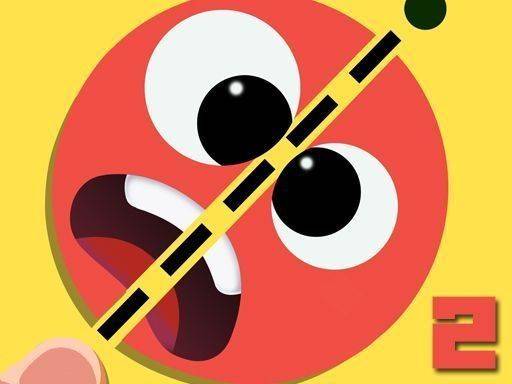
Symmetry Puzzle: Balance the Shape is a puzzle game that focuses on symmetry and precision. In each level, you see a regular shape on the screen. Your goal is to draw a straight line that divides the shape into two pieces of equal area. The game provides clear feedback on how close your cut is to perfect. You can adjust your line as many times as you like before confirming your choice. This design makes the experience both relaxing and rewarding. It is suitable for players of all ages who enjoy puzzles and want to improve their geometric thinking. The game challenges your ability to judge areas and symmetry without any pressure. Each level offers a new shape, from simple circles and squares to more complex polygons. The gradual increase in difficulty helps you build your skills over time. Whether you have a few minutes or a longer session, this game fits into any schedule. It encourages logical reasoning and spatial awareness in a calm, focused environment.
How to Play
To play, you place your finger or mouse on the shape and draw a straight line across it. The game shows the area difference between the two halves. You can adjust the line until the difference is zero or very small. Then you confirm your cut to complete the level. Each level introduces a new shape, keeping the gameplay fresh. The controls are simple and intuitive, making it easy for anyone to start playing. Visual feedback helps you see your progress instantly. The game is designed for short play sessions, perfect for quick breaks. It also encourages logical thinking and spatial awareness. You can retry as many times as needed, so there is no rush. Experiment with different cut positions to find the best solution.
Game Features
The game offers a variety of shapes to cut, keeping each level fresh. The controls are simple and intuitive, making it easy for anyone to start playing. Visual feedback helps you see your progress instantly. The game is designed for short play sessions, perfect for quick breaks. It also encourages logical thinking and spatial awareness. Players can adjust their cuts freely before confirming, allowing for experimentation and learning. The game provides a calm and focused environment without time limits or penalties. It is suitable for solo play and can be enjoyed by both children and adults. The progressive difficulty ensures that players of all skill levels can find appropriate challenges.
Tips for Success
Take your time to analyze each shape before drawing your cut. Use the visual feedback to adjust your line gradually. Practice with simpler shapes to build your intuition for area and symmetry. Remember that you can retry as many times as needed, so experiment with different cut positions. Consistent practice will improve your accuracy and speed over time. Focus on understanding the geometry of each shape rather than rushing to complete levels.
Compatibility
System Requirements