Cube City Block Driving
Reviews
Cube City Block Driving offers a refreshingly simple driving experience in a unique blocky world. The free drive mode is perfect for relaxation, while timed races add just enough challenge. Two player mode on the same computer is a highlight for family game time. The controls are easy to learn, making it accessible for all ages. A delightful choice for casual gamers.
About This Game
Game Introduction
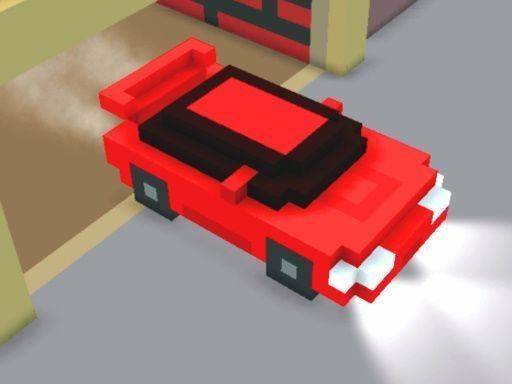
Cube City Block Driving invites players into a delightful cube-shaped world where everything from cars to buildings is made of blocks. The game offers a unique visual style that is both charming and easy on the eyes. You can pick your favorite cubic car and start driving through the streets of Cube City. There are no complex stories or overwhelming menus. Instead, the focus is on pure driving enjoyment. Whether you want a relaxing cruise or a fast-paced race, this game provides the right mode for your mood. The blocky graphics create a warm, family-friendly atmosphere that appeals to children and adults alike. With support for one or two players, it is perfect for solo play or friendly competition. The game is designed to be simple to pick up but offers enough variety to keep you coming back.
How to Play
Getting started is straightforward. First, select your cubic car from the available options. For one player mode, use the keyboard: Player 1 controls the car with the W, A, S, D keys and uses the Left Shift key for a speed boost. For two player mode, Player 2 uses the Arrow Keys to steer and the Right Shift key for a boost. Once you are in the game, you can choose to drive freely without any goals, simply exploring the cube city and enjoying the scenery. Alternatively, you can enter timed races where you compete against the clock or another player. The controls are responsive and easy to learn, making the game accessible for beginners. At the same time, the different modes and the boost mechanic provide enough depth for experienced players to enjoy.
Game Features
Cubic cars and a fully blocky world create a unique visual style. A free drive mode lets you explore without pressure. Two player mode allows for head-to-head racing on the same computer. Exciting race modes add challenge and variety. Simple keyboard controls make the game easy to learn. The family-friendly design ensures content is suitable for all ages.
Tips for Success
Practice using the boost at the right moments to gain an edge. In two player mode, learn to anticipate your opponent's moves. Explore the free drive mode to get comfortable with the controls before racing. Focus on smooth steering to maintain speed. Regular practice will help you improve your lap times and enjoy the game more.
Compatibility
System Requirements