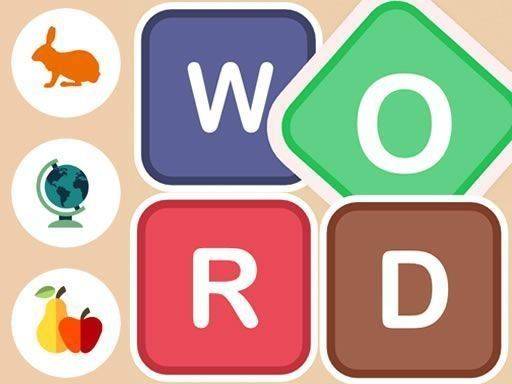
Word Learner: Kids Spelling Puzzle
Reviews
Word Learner is a fantastic educational tool for young children. Its ad-free environment and simple tap-to-spell mechanics make it safe and easy for toddlers to use. The variety of categories like animals and fruits keeps learning fresh. Parents will appreciate the focus on memory and letter recognition without any pressure.
About This Game
Game Introduction
Word Learner is a charming educational puzzle game designed for toddlers and young children. It provides a vibrant digital playground where little ones begin their journey into words and language. By focusing on familiar categories like animals and fruits, the game turns vocabulary building into a joyful adventure. It is a structured yet playful way to introduce letters and words, fostering early cognitive development in a safe, ad-free environment. The game encourages children to recognize letters, recall sequences, and build simple words, all while having fun. Its gentle approach makes learning feel like play, helping young minds grow with confidence.
How to Play
Playing Word Learner is simple and intuitive. First, choose a category such as Animals, Fruits, Countries, Birds, or Flowers. A word from that category appears at the top of the screen and then disappears. Letters scatter across the play area. Your child taps or clicks the correct letters in the right order to spell the hidden word. This gentle challenge reinforces letter recognition, spelling, and memory in a pressure-free setting. The game is designed for young children, so no reading skills are required to start—just a curiosity to explore letters and sounds.
Game Features
Family-friendly safe play with no third-party ads or in-app purchases. Multiple educational categories including animals, fruits, and birds. Simple tap-to-spell gameplay that is easy for young children to understand. Bright and cheerful visuals designed for young eyes. Memory and observation training through letter recall and sequencing. The game may also include categories like countries and flowers to broaden vocabulary.
Tips for Success
Encourage your child to start with familiar categories like animals or fruits to build confidence. Practice regularly in short sessions to reinforce letter recognition and memory. Celebrate each correct spelling to maintain a positive learning experience. Let your child explore the game at their own pace without pressure, and consider playing together to guide them through the spelling process.
Compatibility
System Requirements